
Understanding Common Copier Issues and Their Solutions
When your copier is not functioning properly, it can disrupt productivity. One of the main issues faced by users is related to toner problems. Whether it’s a lack of toner or other complications, understanding these issues is crucial for smooth operation. In this guide, we will explore various toner-related problems and offer practical solutions to keep your copier running efficiently.
The Role of Quality Toner Cartridges
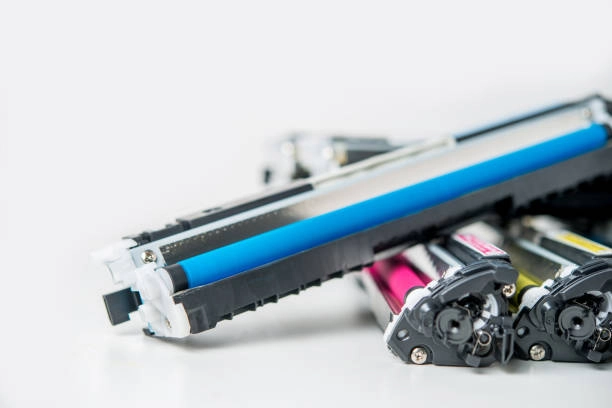
A quality toner cartridge plays a vital role in ensuring your copier functions correctly. Inferior cartridges can lead to poor print quality or even damage the machine. Therefore, using reliable products should be a top priority. Making informed choices about toner supply can significantly reduce issues and improve overall performance.
Signs of Low Toner in Your Copier
Recognizing when your copier is low on toner is essential to prevent print errors and maintain efficiency. Common signs include faded prints, streaks across the paper, or an alert from the machine itself. Paying attention to these indicators enables timely replacement and avoids potential downtime caused by toner supply problems.
Addressing Toner Leakage Issues
Toner leakage can be messy and damaging to your copier. It often results from a faulty cartridge or improper installation. To resolve this issue, check the cartridge seals and ensure they are intact. Regular cleaning of the printer interior can also help mitigate these risks and maintain optimal function.
How to Replace a Toner Cartridge Properly
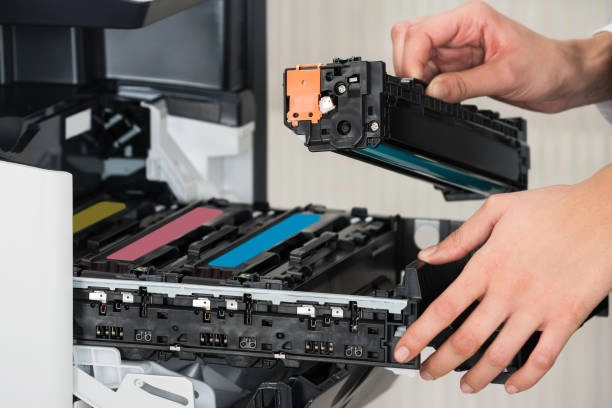
Replacing a toner cartridge may seem straightforward, but following the correct steps ensures successful results. Here’s how you can do it:
- Turn off the copier before starting.
- Open the access panel carefully.
- Remove the old cartridge slowly to avoid spills.
- Insert the new cartridge securely, ensuring it clicks into place.
- Close the panel and turn on the copier.
Troubleshooting Print Quality Issues
Poor print quality is frustrating and often linked to toner problems. If replacing the cartridge doesn’t help, consider examining other factors such as drum cleanliness or software settings. Adjusting printer settings can sometimes solve minor issues without requiring technical support.
Best Practices for Maintaining Copier Performance
Implementing best practices can extend the life of your copier and reduce toner-related issues:
- Conduct regular maintenance checks.
- Use high-quality paper to prevent jams.
- Avoid overloading the paper tray.
- Keep firmware updated for efficient operation.
Cost-Effective Strategies for Toner Management
Toner costs can add up over time, impacting your budget. Adopting cost-effective strategies helps manage expenses while maintaining quality. Consider purchasing toner in bulk or subscribing to a managed print service for consistent supply and reduced costs without compromising on quality.
Your Go-To Solution for Copier Needs
If you’re experiencing frequent copier issues, professional assistance may be necessary. Located in Lisle, IL, our team provides expert advice and services to meet all your copier needs. Contact us at (630) 332-0571 for comprehensive support tailored to your business requirements. At Oak Brook Office Solutions, we specialize in delivering high-quality solutions to enhance your office’s productivity.